
Why Most “Cloud Dashcams” Need External Wi-Fi
Created on Gemini
“If it’s a cloud dashcam, shouldn’t it connect to the cloud on its own?”
It’s a question we hear often—and it’s a fair one. As cloud features become more common in dashcams, many users expect a seamless, always-connected experience straight out of the box. When they realise that most cloud-enabled dashcams still require an external Wi-Fi connection or router to access the internet and upload footage to the cloud, it can feel confusing—even counterintuitive.
This article aims to clear that up. By understanding how cloud functionality actually works—and the practical considerations behind dashcam design—you’ll see why external connectivity isn’t a limitation, but a deliberate and well-balanced choice.
What “Cloud Dashcam” Actually Means
A standard dashcam connects to your phone only when you are near the vehicle, typically through the dashcam’s own Wi-Fi. This allows you to view footage or change settings—but only at close range.
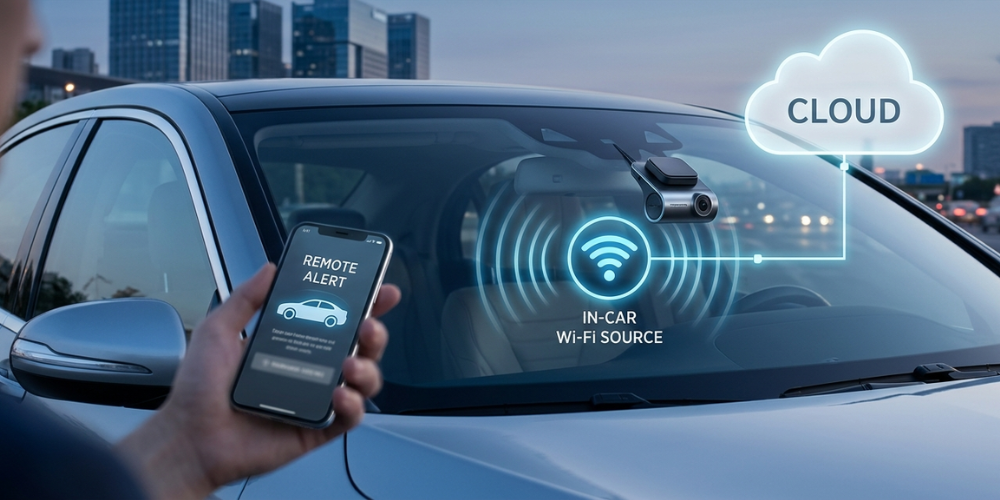
A cloud dashcam goes a step further. It allows you to access your dashcam remotely, without being near the car. This includes checking live footage, receiving alerts, or uploading videos to the cloud from anywhere.
In simple terms, “cloud” refers to this remote access capability—not a built-in internet connection. To enable it, the dashcam still needs an external Wi-Fi connection or router to access the internet and communicate with the cloud.
Why Built-in LTE Isn’t Standard
At first glance, adding built-in LTE might seem like the obvious solution. However, in practice, it comes with trade-offs that impact performance, reliability, and cost.
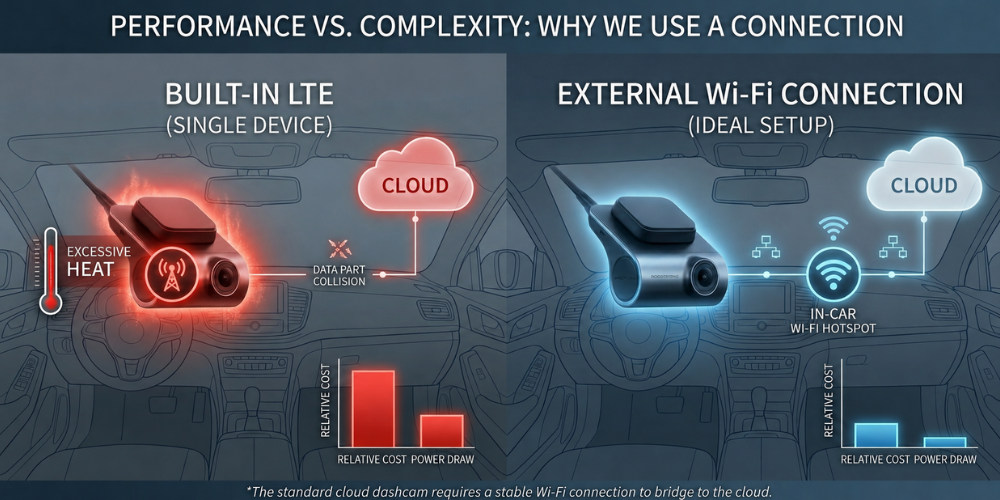
Dashcams operate in harsh environments, often exposed to high temperatures inside parked vehicles. Adding an LTE module increases heat generation, which can affect long-term stability and product lifespan.
There’s also the question of cost. Built-in connectivity requires additional hardware, along with ongoing data plans—raising the overall price, even for users who may not need constant cloud access.
Created on Gemini
Power consumption is another key factor. LTE connections draw significantly more power than Wi-Fi, which can be a concern, especially in parking mode where battery protection is critical.
For these reasons, most cloud dashcams rely on external internet sources instead—offering a more balanced approach between functionality, efficiency, and reliability.
Why External Wi-Fi or Routers Are Used Instead
Rather than building cellular connectivity into the dashcam itself, most systems rely on an external Wi-Fi source—typically a dedicated in-car router or Wi-Fi device—to access the internet. This ensures the connection remains active even when the driver is away from the vehicle, which is essential for true remote access.
This approach also offers greater flexibility. Users can choose a setup that fits their needs, whether for occasional use or continuous connectivity, without being tied to a fixed system or unnecessary costs.
At the same time, it allows the dashcam to operate more efficiently. By avoiding the added heat and power demands of an internal LTE module, the device can maintain better stability—especially during extended parking periods.
In this context, external Wi-Fi isn’t a compromise. It’s a practical design choice that supports reliable, consistent cloud functionality.
Key Takeaway
Cloud dashcams are designed to give you access to your vehicle from anywhere—but that access still depends on an internet connection. Instead of building it directly into the device, most systems rely on an external Wi-Fi source to keep the dashcam connected and able to upload footage to the cloud.
This isn’t a limitation, but a deliberate balance. By separating connectivity from the device itself, cloud dashcams can maintain better reliability, manage heat and power more efficiently, and offer flexibility based on how the user actually needs to use cloud features.
In the end, “cloud” is about access—not always-on connectivity built into the camera.

